What Should a Small Business Website Include? A Page-by-Page Checklist
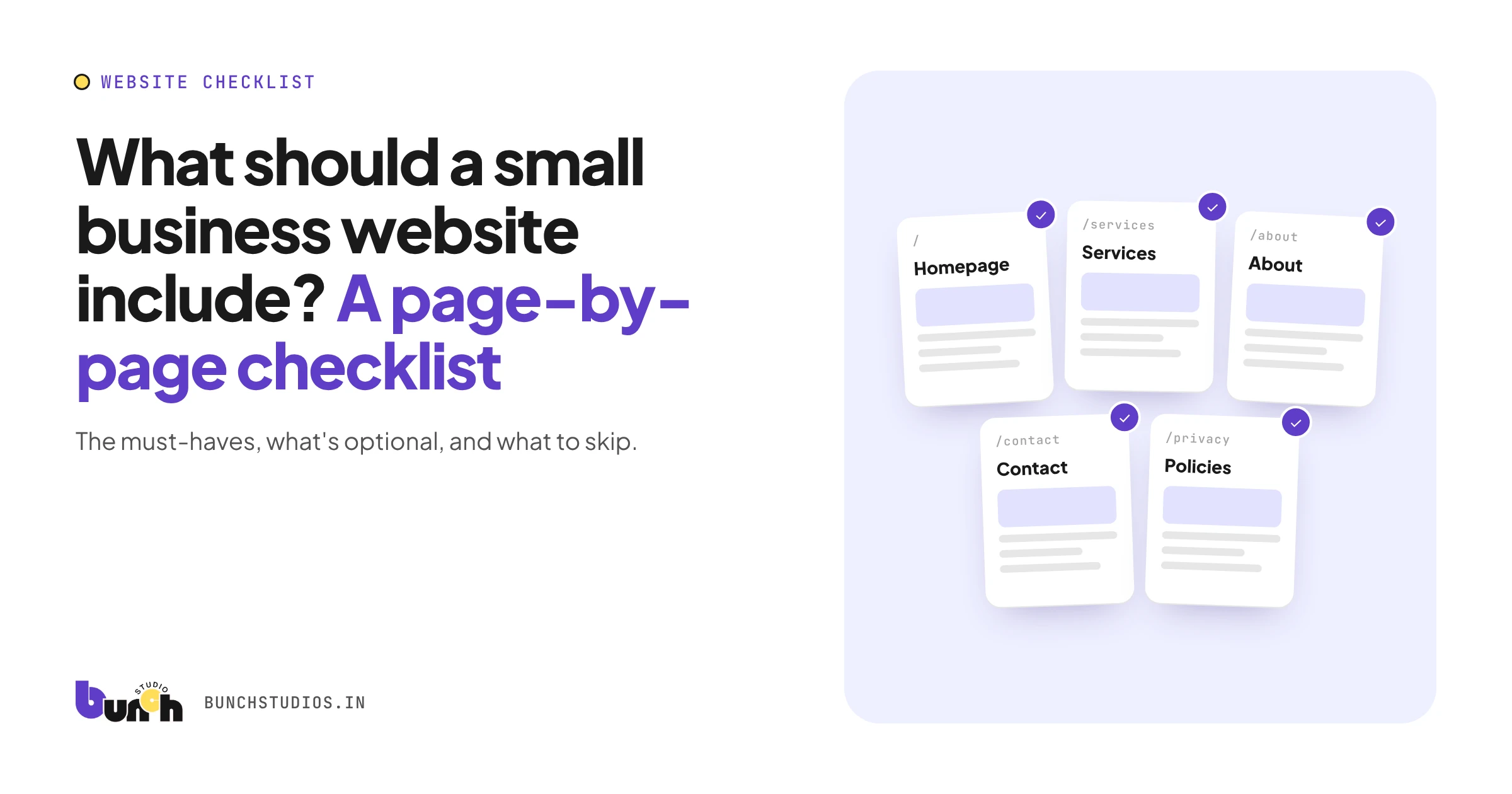
Most small business websites need five things to do their job: a homepage that says what you do and for whom, service pages that explain each offer, an about page with real people, a contact page with every way to reach you, and proof that you're trustworthy. On top of that, every page needs to work on a phone, load quickly and make the next step obvious. Everything else (blog, FAQ, pricing, booking) is optional and depends on how your customers buy. The checklist below separates must-haves from nice-to-haves.
Must-have pages
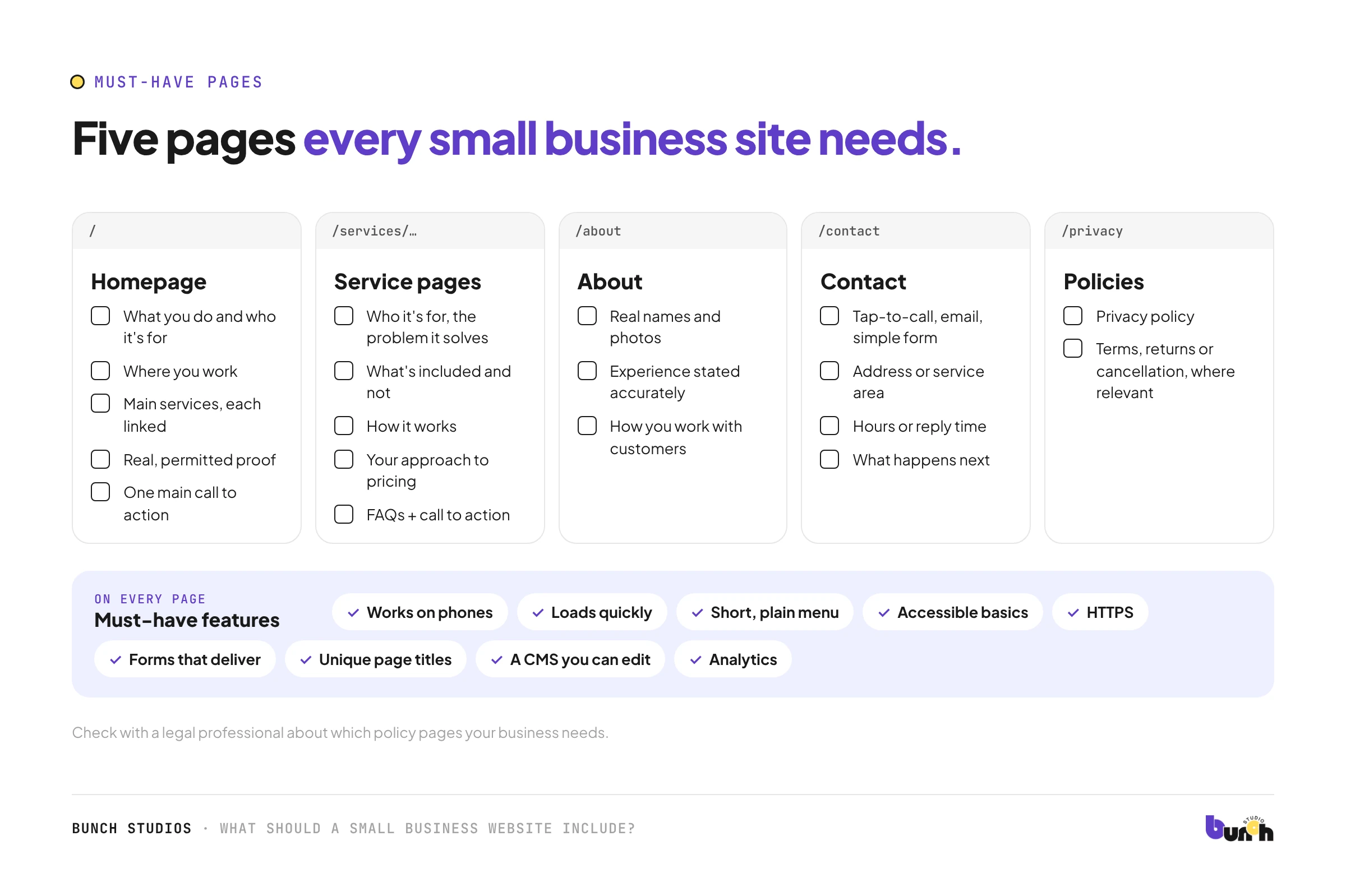
Homepage
- A headline that says what you do and who it's for, in plain words
- Where you work (city, region, or "nationwide/online")
- Your main services, each linking to its own page
- Real proof: permitted reviews, examples, qualifications
- One main call to action, visible without scrolling
Service pages (one per main service)
- Who it's for and what problem it solves
- What's included, and what isn't
- How it works, step by step
- Your approach to pricing (a price, a range, or how quotes work)
- Questions people ask about this service
- A call to action
About page
- Real names and photos of the people behind the business
- Experience and qualifications, stated accurately
- How you work with customers
Contact page
- Phone (tap-to-call on mobile), email and a simple form
- Address or service area, plus a map if customers visit you
- Hours or how quickly you reply
- What happens after someone gets in touch
Legal and policy pages
- Privacy policy (especially if you collect form data or use analytics)
- Terms, returns or cancellation policy where relevant
Check with a legal professional about what your business specifically needs.
Not sure what to write on each page? See how to plan and write your content.
If you serve local customers
- Your business name, address and phone number match exactly across your site, your Google Business Profile and directories.
- If you serve several towns, a page per area only when you have something genuinely different to say about each one (local projects, specific services, local details). Copy-paste pages with only the town name swapped add little and look thin.
Must-have features (on every page)
- Works on phones. Try our mobile-friendly check.
- Loads quickly. Test in Google's free PageSpeed Insights.
- Clear navigation: a short menu with plain labels.
- Accessible basics: readable contrast, alt text, labeled forms, keyboard use. See our accessibility checklist.
- Secure (HTTPS), with the padlock in the browser.
- Forms that actually deliver, tested by sending yourself a message.
- Unique page titles and descriptions, so each page shows up sensibly in search results.
- A CMS you can edit for the things you change often.
- Analytics, so you can see what's working.
Optional, depending on your business
| Feature | Worth adding if… |
|---|---|
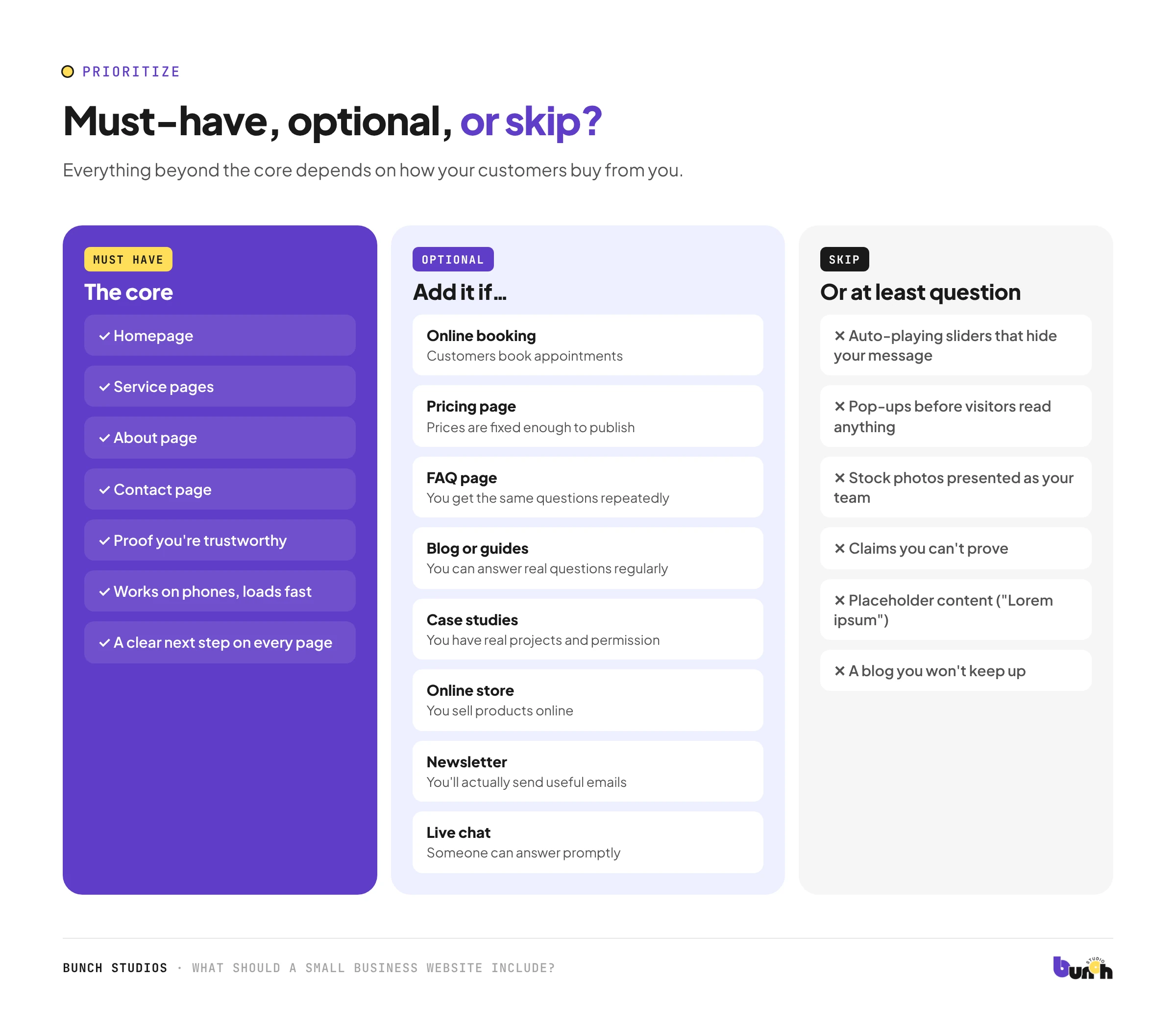
| Online booking | Customers book appointments or consultations |
| Pricing page | Your prices are fixed enough to publish, or a "how pricing works" page helps |
| FAQ page | You get the same questions repeatedly |
| Blog or guides | You can answer real customer questions regularly and well |
| Case studies or portfolio | You have real projects and permission to show them |
| Online store | You sell products online |
| Newsletter signup | You'll actually send useful emails |
| Live chat | Someone can answer promptly during business hours |
What to skip (or at least question)
- Auto-playing sliders that hide your main message.
- Pop-ups on arrival before visitors have read anything.
- Stock photos of people who don't work for you, presented as your team.
- Claims you can't prove ("#1 in the state," made-up statistics). Our trust checklist covers what to use instead.
- Placeholder content like "Lorem ipsum," "Author Name," or empty pages.
- A blog you won't keep up. An abandoned blog with three old posts looks worse than none.
How to use this checklist
- Tick off what your current site already has.
- Mark the must-haves you're missing; those are your priorities.
- Decide which optional features genuinely match how customers buy from you.
- Turn the list into a brief before talking to designers. Our website brief template shows how.
How Bunch Studios builds small business sites
We plan the pages around what your customers need to know, design for phones and desktops, build a custom CMS for the things you'll edit, and draft the content with AI-assisted writing if you don't have it (you approve every page). You own the website.
Request a Scoped EstimateHow we made this guide: drafted with AI assistance.